Appearance
Cloth
Describe the cloth that the generated panels will use, including the usable roll width that constrains panel sizing and cloth-layout exports.
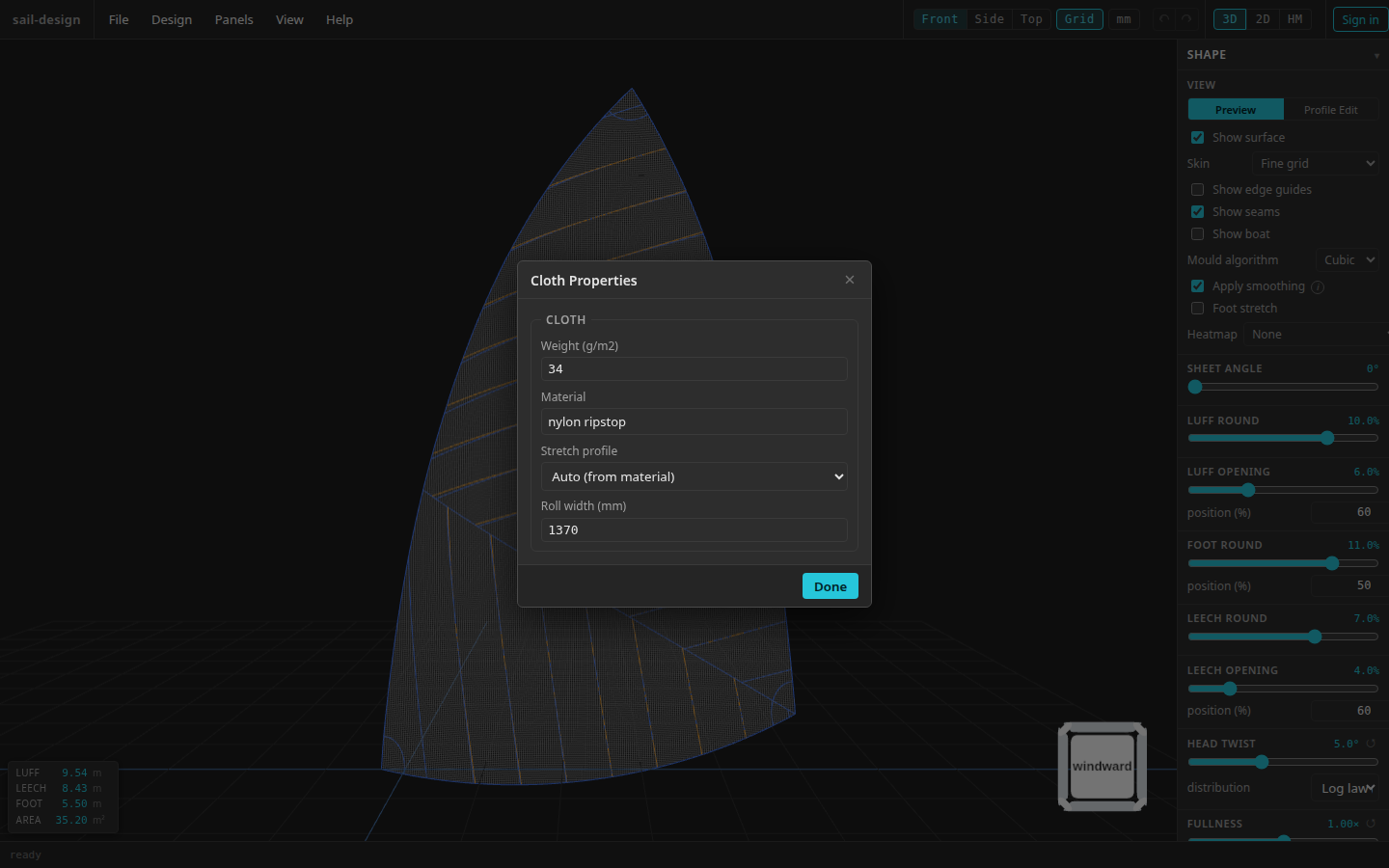
Cloth Properties for the preloaded Albin Vega 27 gennaker example.
- Cloth identity
- Stretch profile
- Usable roll width
Enter the cloth properties
Identify the cloth
Enter a positive Weight (g/m2) and a Material name. These values are saved with the design and identify the cloth in generated output. The material name also supplies the automatic stretch profile.
Choose a stretch profile
Choose one of these profiles:
Choice Current behaviour Auto (from material) Selects the laminate profile when the material includes “laminate”, “film”, or “mylar”; the nylon profile for “nylon”, “ripstop”, or “spinnaker”; otherwise the woven profile. Woven Dacron Uses the app's woven-polyester coefficients. Ripstop nylon Uses the app's ripstop-nylon coefficients. Isotropic laminate Uses equal warp, fill, and bias coefficients. The selected profile supplies cloth context to the cross-cut warp, fill, and shear heatmaps. It does not change the 3-D mould itself.
Set the usable roll width
Enter Roll width in millimetres or as an explicit imperial expression. Use the width of cloth that is actually available for placing panels. The committed value is shown in millimetres.
Checkpoint
When you select Done, the value is retained in Cloth Properties and the current seam overlay is cleared because its construction inputs changed.
How roll width constrains panels
The Layout dialog keeps Max panel width within the usable cloth width after subtracting Seam allowance. If either value makes the current maximum too large, the app lowers it automatically.
For example, a 1,370 mm roll and 15 mm seam allowance permit a maximum panel width of 1,355 mm. The Layout dialog never offers a maximum below 100 mm.
Use positive cloth values
The form accepts zero while you are editing, but backend generation and export require positive cloth weight and roll width. Correct either value before generating panels.
The saved roll width is the starting strip width for Cloth Layout DXF. Its export dialog can use a temporary width without changing this saved value. See the export overview for that file's other prerequisites.